Routine Tasks During the Hot Phase
Warning
This page is still work in progress.
When you organize a shared task with TIRA, there is usually a hot phase around the submission deadline (often about two weeks) during which an organizer should perform some tasks on a regular basis, e.g., once every morning and/or evening (so usually daily). This page lists these routine tasks as a checklist you can go through during the hot phase.
Daily Checklist
Look for New Registrations
You receive an email whenever a new team registers for your shared task. Check that you have not missed any of these notifications and, if needed, follow up with newly registered teams (e.g., to confirm they have access to the task and datasets they need). We recommend to send a short welcome message to each newly registered team:
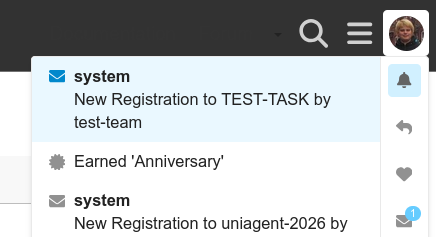
You get an email for every new registration, and the notification is also visible in your TIRA inbox (the bell icon):
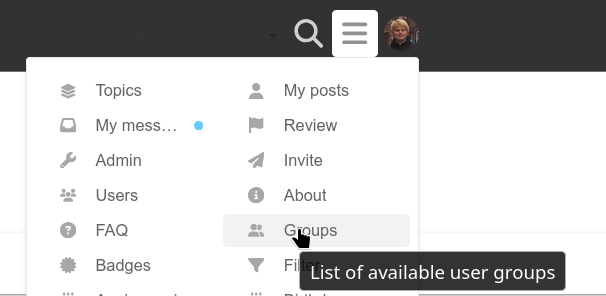
Open the menu and click on “Groups” to see the list of all user groups:
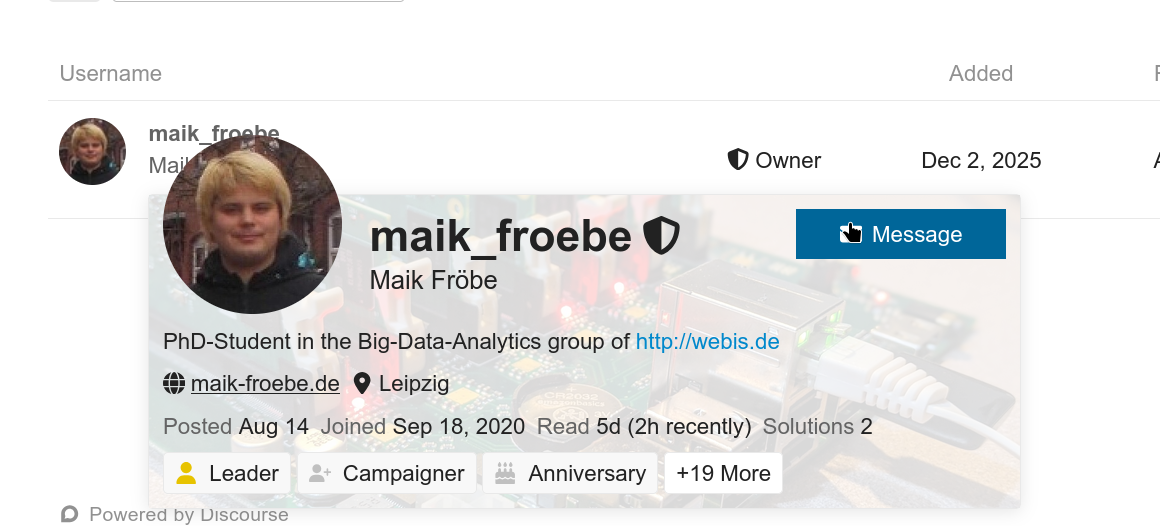
Search for the newly registered group (its name usually matches the team name) and open it. On the group’s “Members” page, click on a member to open their profile card, and click “Message” to start writing a message to them. Add the remaining members of the team as well as the other members of your organizer team in cc:
Write a short welcome message to the newly registered team, e.g., thanking them for registering and pointing them to the resources (datasets, submission instructions, etc.) they need to get started.
Review New Submissions
Regularly check for new submissions and review them, e.g., verify that a submission ran successfully and produced the expected output. If you notice a problem with a submission (e.g., it failed, timed out, or produced unexpected results), contact the corresponding team so that they can fix and resubmit their software before the deadline.
Navigate to your task in TIRA and open the “Admin” panel:
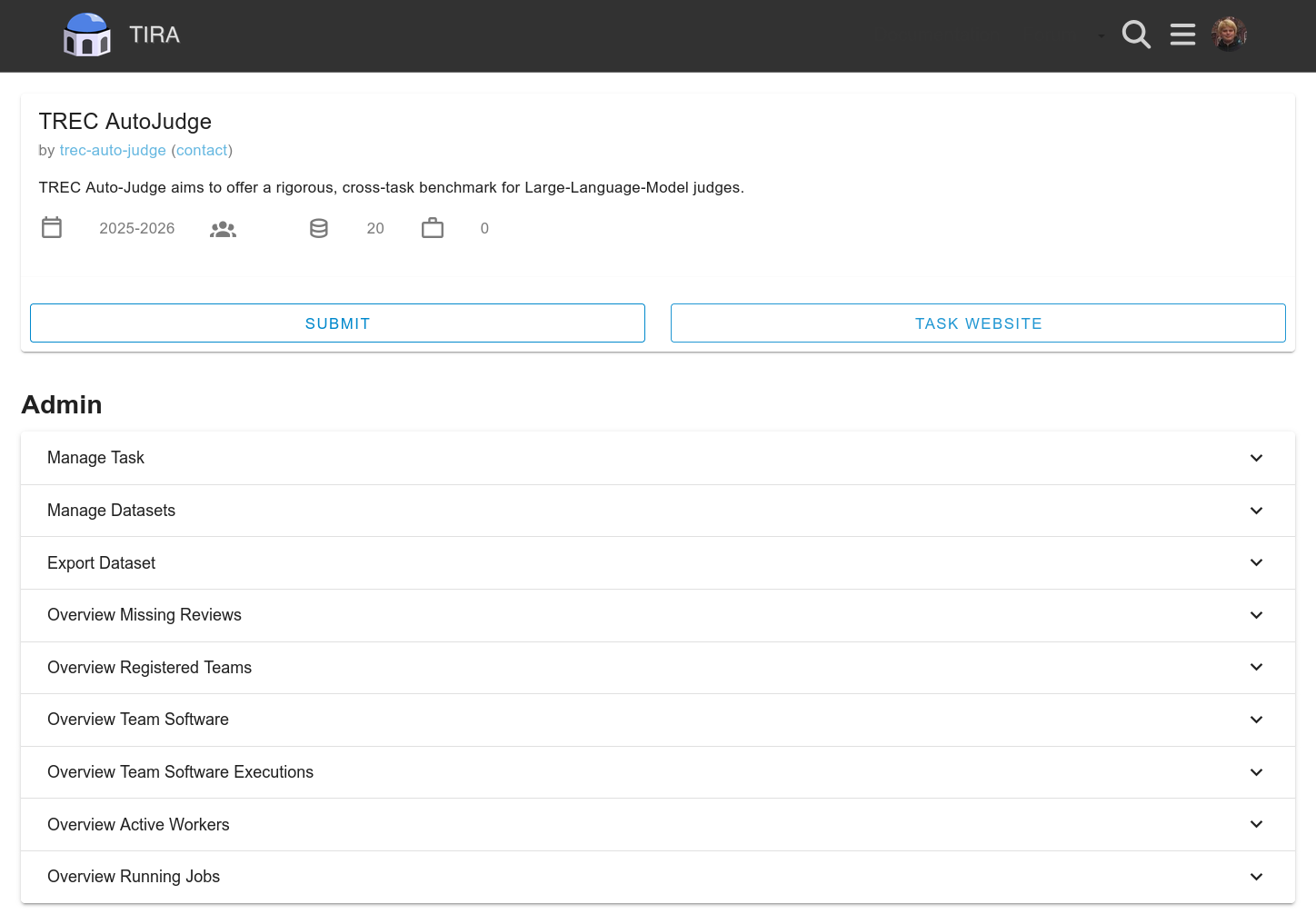
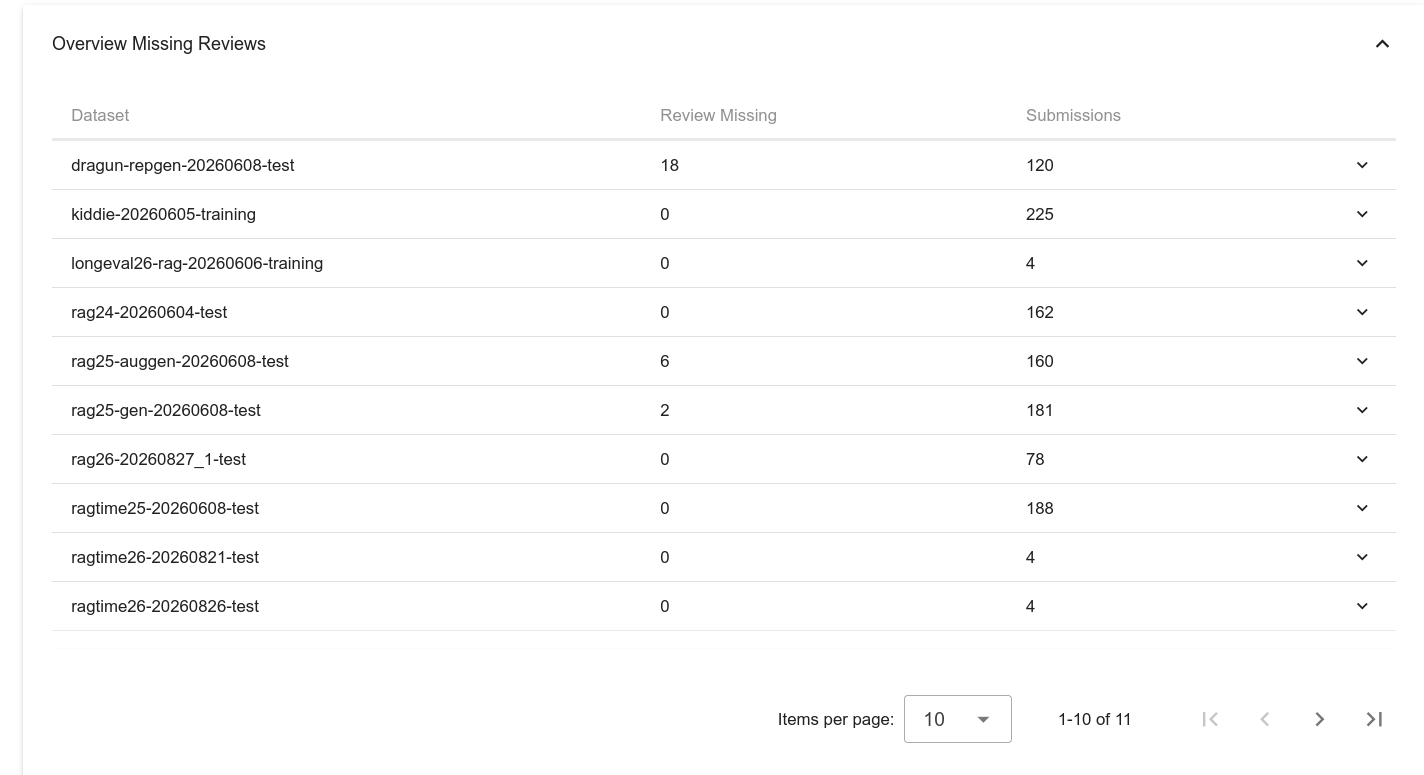
Expand “Overview Missing Reviews”. It shows, for each dataset, how many submissions are still missing a review:
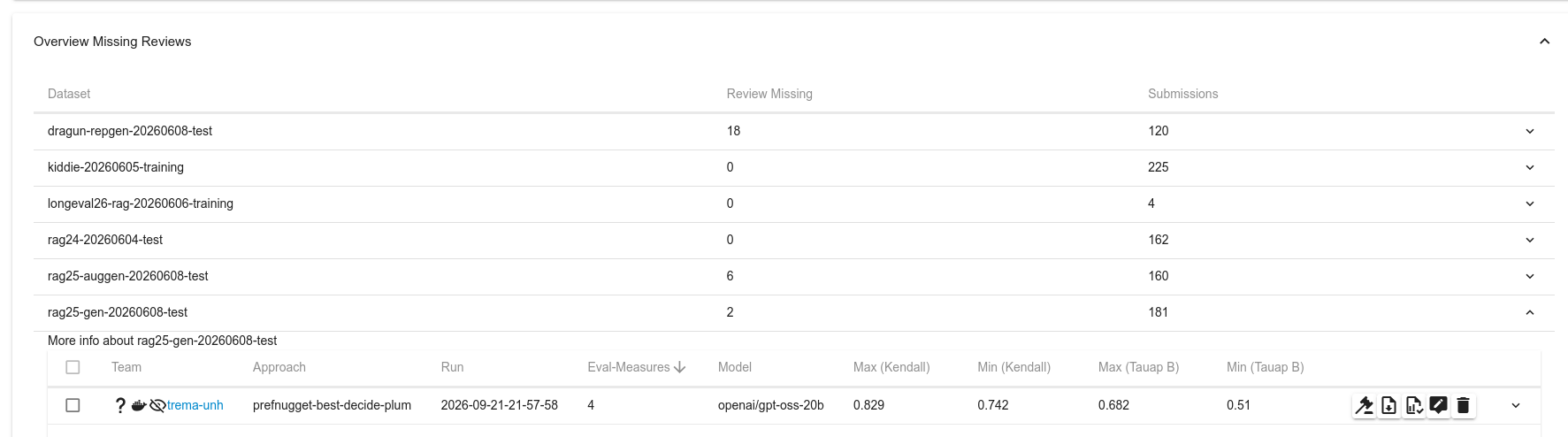
Click on a dataset to expand it and list its individual submissions. The button to start reviewing a submission is on the right of its row:
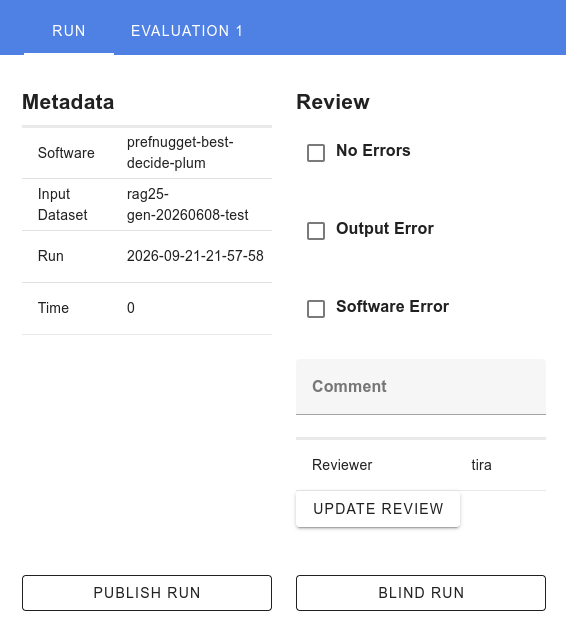
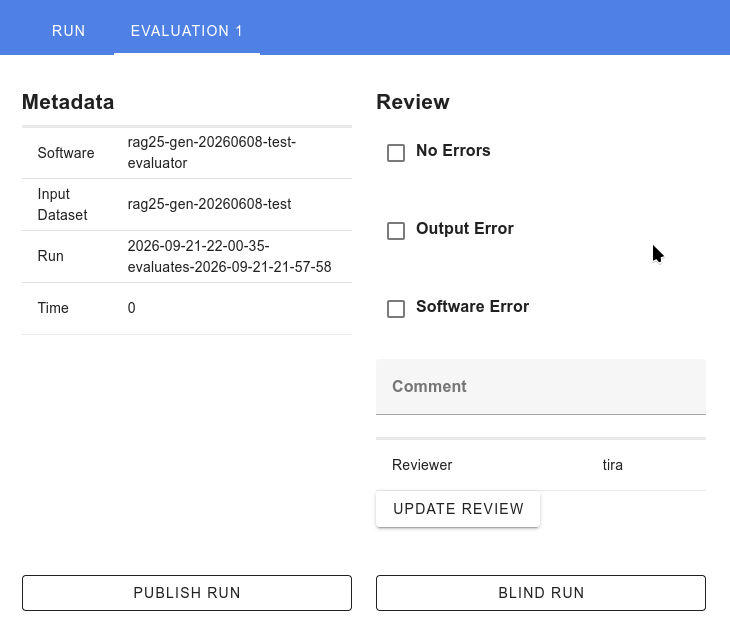
For each submission, review both the run and its evaluation. By default, participants cannot see the outputs of their run or evaluation (so that experiments stay blinded if desired). Typical cases where you unblind a run or evaluation are when an error occurred and the team needs to see the output to fix it, or after the shared task has ended and all runs and evaluations are published. Aside from unblinding, a normal review simply records whether there was an error or not:
Hint
This checklist will be extended over time. If you have additional routine tasks that you perform during the hot phase of your shared task, please let us know so we can document them here.